Keep every conversation connected.
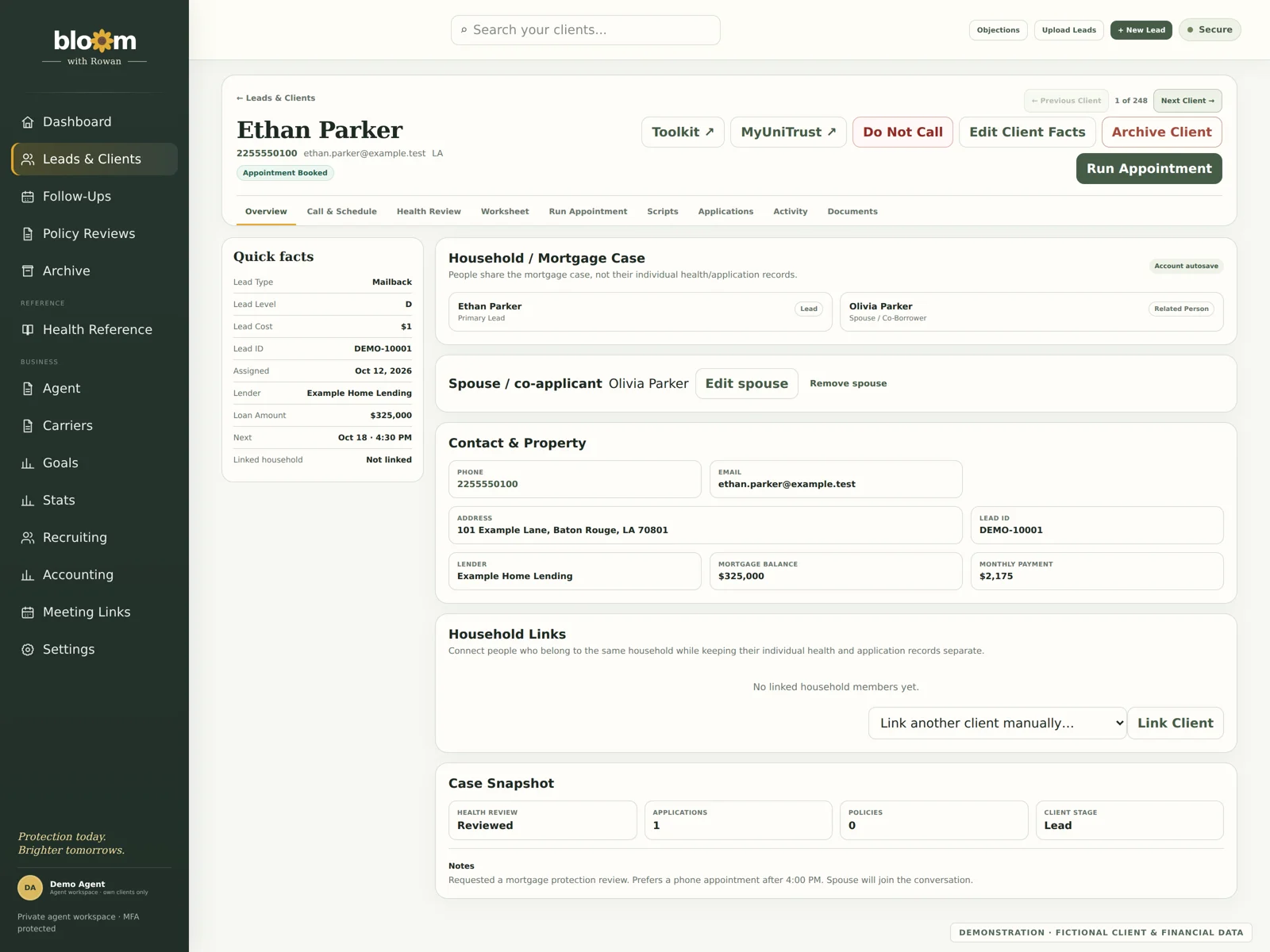
Organize leads, household details, client notes and policy information. Pick up where the last conversation left off.
Built by an agent. For agents.
Your people, your follow-ups, your business. Bloom brings the details together so you can focus on the next conversation.
An invitation-only workspace for life insurance agents.
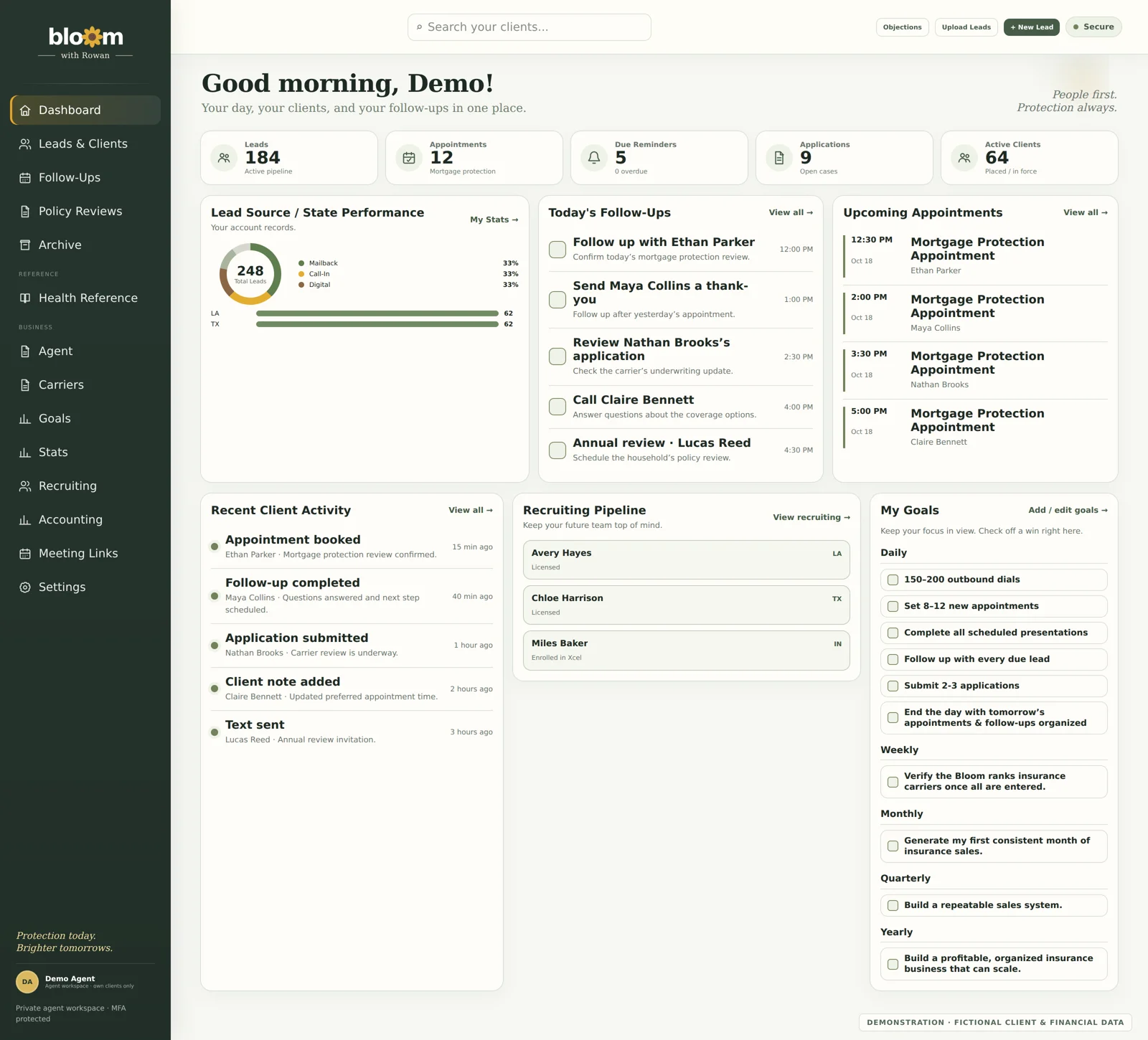
One place for the moving parts
Organize leads, household details, client notes and policy information. Pick up where the last conversation left off.
Keep appointments, reminders and policy reviews in view. Track daily, weekly and long-term goals alongside your work.
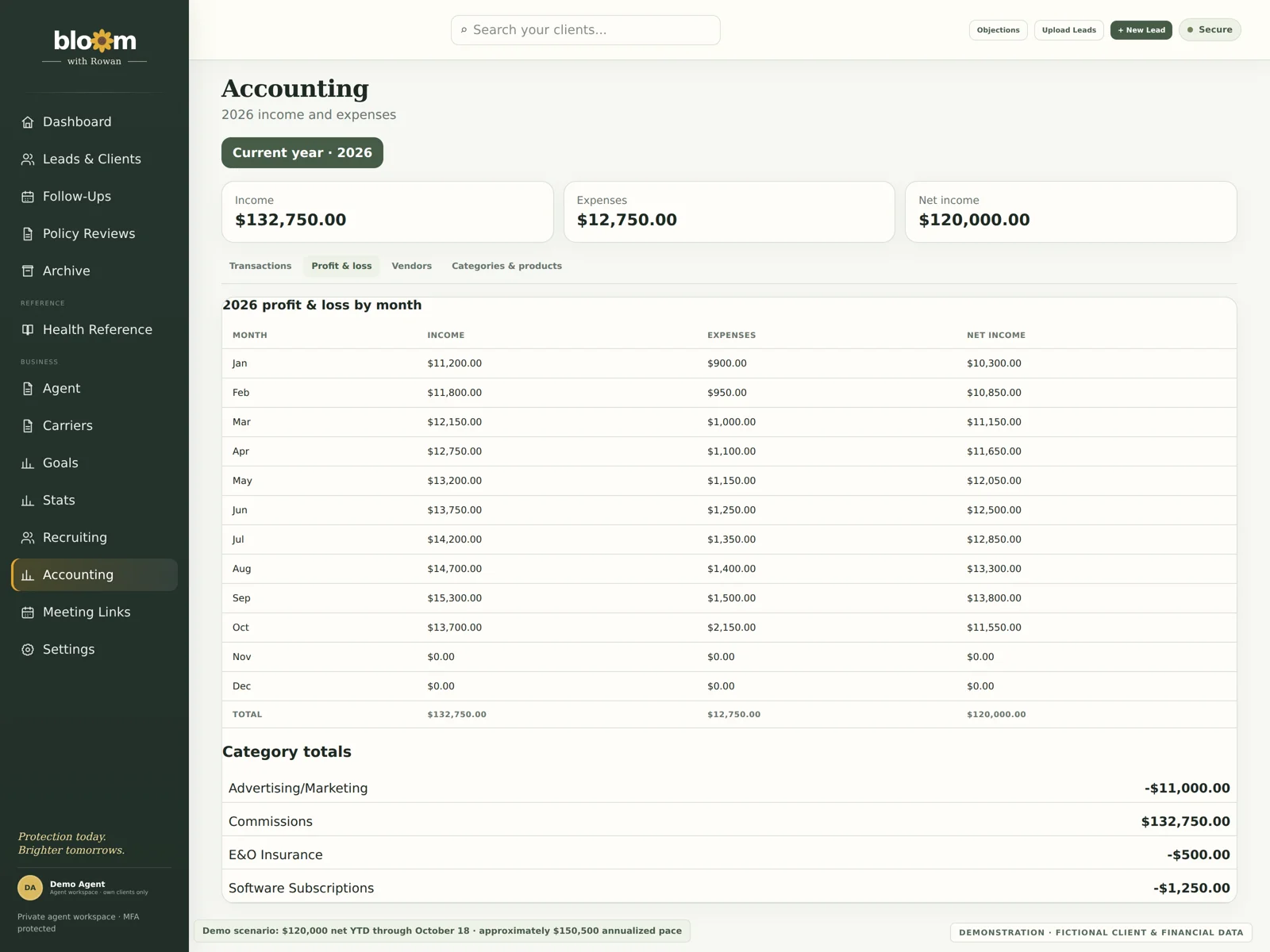
Track income, expenses and lead costs. Organize recruiting and licensing progress as your business grows.
Take a look around
From a real agent’s workday
Rachael McCoy Allen is a nurse and licensed life and health insurance agent. She created Bloom around the details, relationships and follow-through her own business needs.
Meet the person behind Bloom →Connect Google Calendar for supported scheduling and recruiting workflows. Use Quo calling and texting tools with your own account and phone numbers. Choose a theme and preferences that make the workspace feel like yours.
Bloom’s client records, scripts, follow-ups, goals and accounting work independently of your phone provider. Click-to-call may open another phone app if it supports your device’s phone links; compatibility depends on the app and device. Automatic call and text history, incoming-call alerts and texting through Bloom currently use the Quo integration.
Third-party services require their own accounts and permissions. Read more about Bloom and how connections work.
Let’s see what grows
Have a question or want to ask about access? Get in touch with Rachael.
Let’s talk about Bloom ↗